


Free shipping
Shipping within 24h
30 days money back guarantee
Purchase comfortable on account
Hotline +49 800 123 454 321

Dangerous Things flexEM T5577 Implant

€99.95*

Product number: 10885
Product information "Dangerous Things flexEM T5577 Implant"

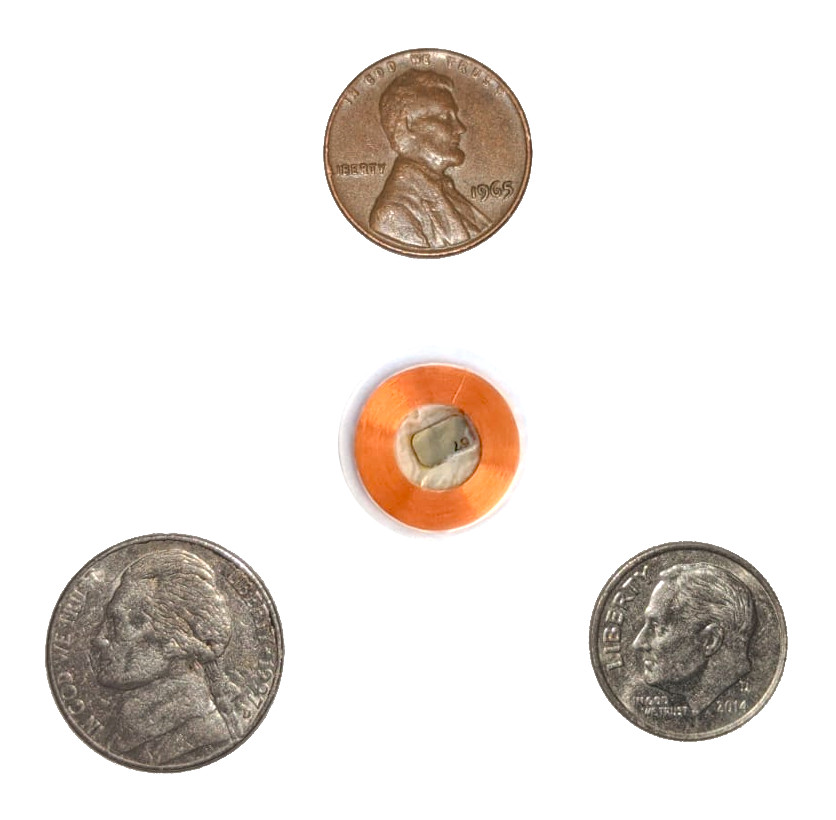
The flexEM is one of our next generation, high performance, 125kHz RFID transponders with a T5577 chip inside. The T5577 is an emulator that can behave like many different common low frequency chip types, including EM41xx, EM4200, HID 1326 ProxCard II, HID 1346 ProxCard III, Indala, Pyramid, Viking, AMV, Presco (and more) access cards and keyfobs. It is compatible with many inexpensive OEM and commercial low frequency RFID readers and stand-alone access controllers like our xEM Access Controller.

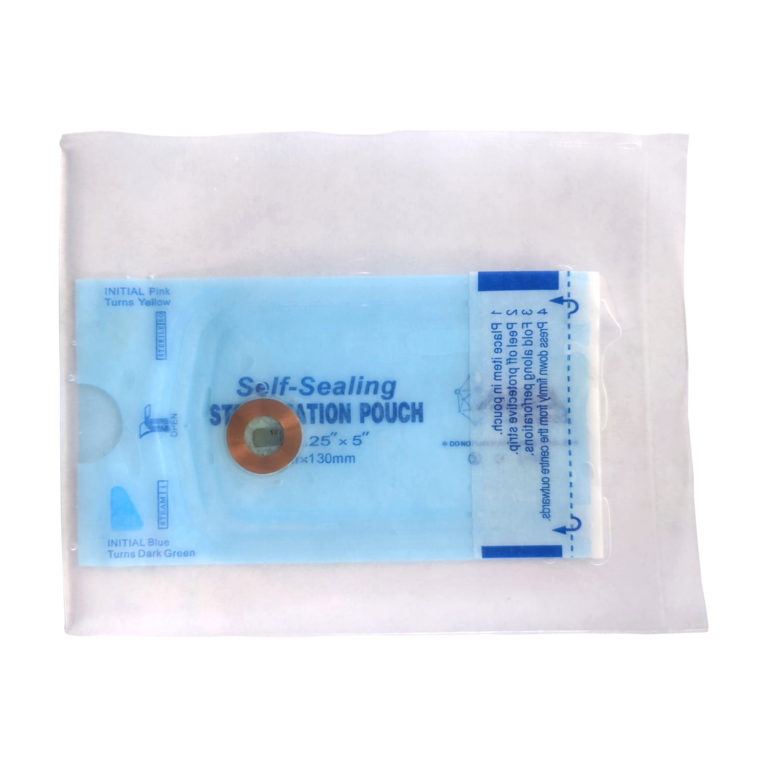
The flexEM is coated in USP Class VI, ISO 10993 tested biopolymer which gives it an extremely thin profile and semi-flexible structure suitable for installation just about anywhere. They are shipped in small sealed plastic tubes with chlorhexidine solution.

The performance and range of the flexEM vs the xEM is significant.

<iframe width="560" height="315" src="https://www.youtube.com/embed/by1ZdpwEBFI" frameborder="0" allow="accelerometer; autoplay; clipboard-write; encrypted-media; gyroscope; picture-in-picture" allowfullscreen></iframe>


Professional installation notes

Installation of a flexEM device should always be done by a professional.

  • Do not install under any gripping surface (e.g. no palm side installations)
  • Do not install atop or parallel to any joints (flex devices are only “semi-flexible”)

Scalpel Install Procedure

  • Make a 20mm wide incision in skin
  • Lift & separate dermal layer using elevator tool
  • The subdermal “pocket” should be at least 25mm deep
  • Remove all tools from installation site
  • Slide flex device under skin with sterile gloves – no forceps or tools
  • Side with chip visible should be facing up. Do not place silver backed side up.
  • Suture to close wound – do not pierce flex device while suturing

Important things to know about the flexEM

– The biopolymer is ISO 10993 and USP Class IV tested and certified, however the final product has not been tested post-processing, meaning material changes during processing could render the final product unsafe in some way.

– There is no “preferred” location for installation of a flex device. Customers are free to install a flex into any area of the body their installation professional is comfortable with, as long as it is in the fascia layer between dermis and muscle tissue and not in an area of flexion or under a gripping surface. Even though we use images which suggest installation above the second metacarpal of one of the fingers, it is not an ideal location for such a device. Fingers are filled with tendons, nerve bundles, and very important things all packed into a very tight space. We urge you to think about easier locations like the back of the hand or in the arm/wrist.

Properties "Dangerous Things flexEM T5577 Implant"
Bauart: Flex
Frequenz: 125kHz RFID
Funktionen: Access Control/ open doors

0 of 0 reviews

Leave a review!

Share your experiences with other customers.


Accessory Items

Dangerous Things xEM Access Controller v2
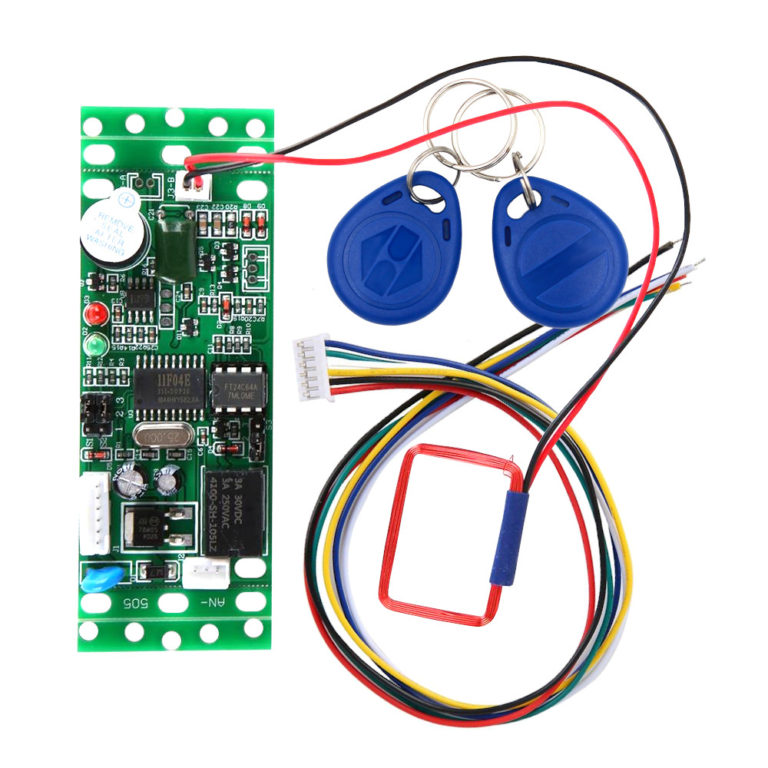
Welcome to quick and easy RFID access control projects. Works with our xEM and NExT chips (in EM mode) Can store up to 50 different chip IDs in memory 9v-12v DC operation – great for automotive projects! On board relay, no need for external relay or diodes! Use an onboard jumper to set your own master tags! This is the xEM Access Controller (XAC) version 2! It’s a simple, easy to use stand-alone RFID access controller. It has a built-in EM41xx/EM42xx 125kHz RFID reader, microprocessor, SPDT relay, and memory system that allows you to easily store a list of up to 50 tag IDs in an “authorized list” within the access controller’s internal memory. You don’t need an external computer or microcontroller, this is a complete stand-alone system. When an authorized 125kHz EM tag ID is read, the relay is activated for 1 or 5 seconds, based on the S1 jumper settings. Jumper S2 allows you to program any two EM tags as add and clear master tags. xAC v2 Details Operates between +9v to +12v DC power Reads EM41xx/EM42xx 125kHz tag IDs Store up to 50 RFID tags in the authorized tag list Easy relay wiring; common (CO), normally open (NO), and normally closed (NC) Two keyfobs included, can be used as add/clear master tags Draws 60mA idle, 102mA while relay is active Antenna specifics: 125kHz 543.2μH 7.93Ω <iframe width="560" height="315" src="https://www.youtube.com/embed/A1PwCvSq8TI" frameborder="0" allow="accelerometer; autoplay; encrypted-media; gyroscope; picture-in-picture" allowfullscreen></iframe>   Wiring & Operation Programming master tagsTo get started, the first thing you will want to do is program your master tags. To do this, with the power off set jumper S2 to bridge pins 1 and 2. Next connect the black wire to ground and red wire to +12v DC power. You will see the red and green LEDs on the board blink in an alternative pattern. This means it’s ready to read the first EM tag, which will be the ADD master tag. Tap the EM tag you want to be the ADD master to the antenna. You will get a beep and the LEDs will begin blinking together in unison. This means the controller is ready to program the CLEAR master tag. Tap the EM tag you want to be the CLEAR master tag to the antenna. You will get a beep, and red LED will go solid. At this point, programming the master tags is complete. Remove power from the controller, then replace jumper S2 to pins 2 and 3. Adding and removing tagsTo program authorized tags into the controller, power up the controller. The red LED should be solid. Scan your ADD master tag to begin. You’ll get a single beep the green LED will start blinking. Scan one or more EM tags you want to act as authorized tags. You will get a set of 3 beeps for each tag that is added. Once finished, scan the ADD master tag again and you’ll get a single beep and the green LED will stop blinking. To clear tags, scan the clear master tag, then the target tag to clear, then the clear master tag. To clear all tags, scan the clear master tag, then the add master tag, then the clear master tag again. After 5-10 seconds, all tags are clear, however you must power cycle the reader to go back to normal operation. Relay wiring and operationThe relay wires are white, yellow, and green. The white wire is the common pin on the relay, yellow is NO (normally open), and green is NC (normally closed). The common wire (white) is the relay pin that will be connected to either the NC (green) pin or NO (yellow) pin, depending on if the relay is active. In the normal state, the common (white) pin is connected to the NC (green) pin. This might be useful for keeping a magnetically locked door secure, since power must be flowing to the magnet to keep the door locked. Once an authorized tag is scanned, the relay is activated and the common (white) pin loses connection with the NC (green) pin, and instead the common (white) pin and the NO (yellow) pin are connected. Once the timer runs out, the relay is deactivated and the common pin loses connection with the NO pin and reconnects with the NC pin. To change the amount of time the relay stays active on authorized tag scan, change jumper S1. When S1 is bridging pins 1 and 2, the relay is active for 5 seconds on authorized tag scan. When S1 is bridging pins 2 and 3, the relay is only active for 1 second on authorized tag scan. It is possible to reset the timer and keep the relay engaged indefinitely by continuing to hold an authorized tag in place so it is consistently re-scanned.

€29.95*
Tip
Dangerous Things RFID Diagnostic Card
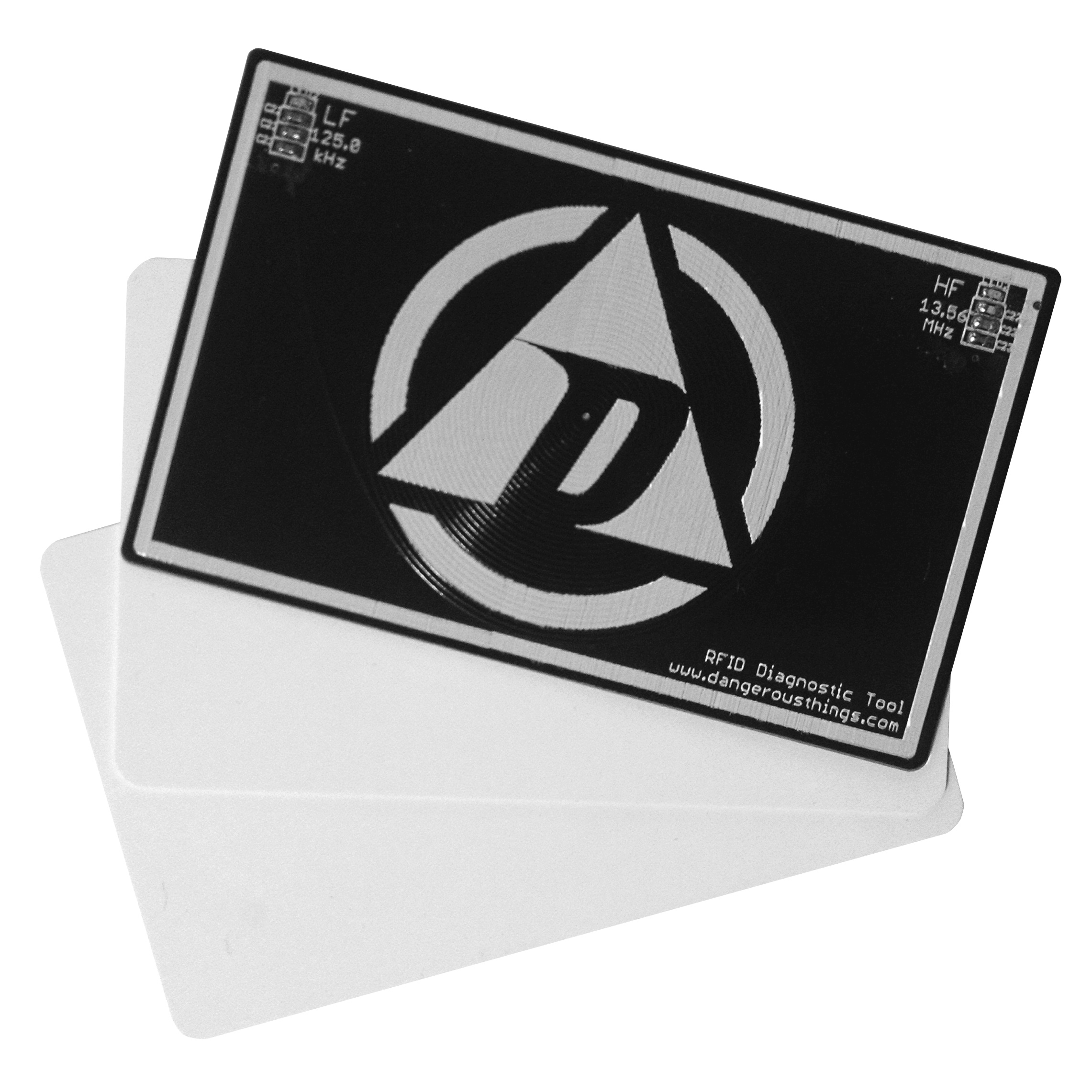
  Not sure, which implant to use? Simply hold the RFID Diagnostic Tool to the Reader and you will know instantly!   This tool is awesome! Find out what frequency and duty cycle of any passive LF/HF reader is. The RFID Diagnostic Tool is a thin, flexible, credit card sized device that can tell you the frequency and duty cycle of any passive low or high frequency RFID/NFC reader, payment terminal, etc. Let’s say your school, office, or apartment building has an RFID reader securing the front door, but you don’t know anything about what kind of system it is. You can easily slap the RFID Diagnostic Tool up against the reader and find out if the reader is active, what frequency it is operating at, and what the duty cycle of the reader is. The tool is designed to easily fit in any card carrier, wallet, or purse, and you can see the frequency indicator LEDs without removing the tool from your wallet! Features: 125kHz 13.56MHz Duty Cycle Field Strength Fits in any wallet/purse How would you describe that? Suppose, at your doorstep, in the office, at the gym, at school, etc. there is a card reader, in which you have to identify yourself by card. But you don’t know which RFID system it is and no one can or wants to give you information ... simply hold the RFID Diagnostic Tool against the reader and you will know whether the reader is active, the frequency on which it operates, and what its duty cycle is. The Tool will fit into your wallet without any problems. <iframe width="560" height="315" src="https://www.youtube.com/embed/0FU1OwPdF-8?list=PLH2adjhk7sK-fczJSmUHeXoLGoAPMwpLg" frameborder="0" allowfullscreen></iframe> <iframe width="560" height="315" src="https://www.youtube.com/embed/uOzMTDwGT50?list=PLH2adjhk7sK-fczJSmUHeXoLGoAPMwpLg" frameborder="0" allowfullscreen></iframe> <iframe width="560" height="315" src="https://www.youtube.com/embed/NhFOJnb0nWY?list=PLH2adjhk7sK-fczJSmUHeXoLGoAPMwpLg" frameborder="0" allowfullscreen></iframe>  

€9.95*
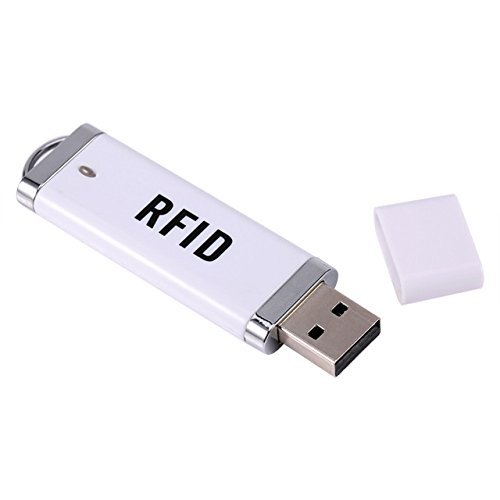
RFID USB Stick - for xEM
Unlock your PC, read data ... quite simply via this USB stick. With this RFID-USB Reader designed especially for the xEM you can, for example, use your xEM implant to unlock your laptop or use it as a reader. This reader works exclusively with the xEM in EM-mode. If your xEM is in HID mode, this stick will not work. Frequency: 125KHz Reading time: <0.5 s Material: ABS 75x20x7mm Power supply: via USB port, Requires no drivers // Plug & Play System requirements: Windows7 \ XP \ 98 \ 2000 \ NT \ ME \ NT \ LINUX \ Vista, Android \ iOS Can be used e.g. as password protection on laptop or Macbook Delivery: 1x stick with protection cover

€19.90*

Accessory Items

RFID-Implant xEM
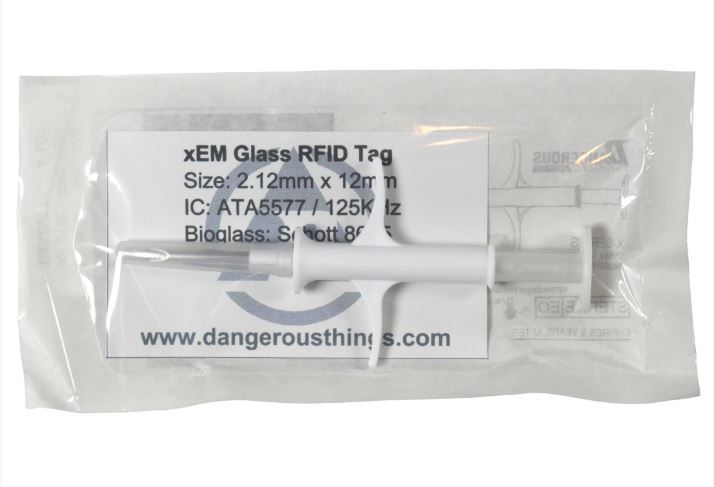
The xEM - the low frequency RFID implant You already have an implant? Why not a second one on the other hand In your left hand the xEM (low-frequency – 125kHz) and for your right on the xNT (high-frequency 13,56MHz). It's that easy. Why still have a key or employee ID with you, if everything can be worn almost invisibly under the skin. A micro-chip makes it possible. The perfect body upgrade - without side effects or disadvantages - GUARANTEED! The utilization possibilities in the low frequency range (125kHz): Never again keys - Open your front door as if by ghost hand Instead of card or plastic cards - access and machine-settings in many gyms by implant Simply clone the existing card to the implant - and you have access. Communication tool ..., with an implant you get into conversation! ... more examples please? Click here How to videos in case you still have no "blue" cloner: <iframe width="560" height="315" src="https://www.youtube.com/embed/RfJB3dIVHx4?rel=0&amp;showinfo=0" frameborder="0" allow="autoplay; encrypted-media" allowfullscreen></iframe> <iframe width="560" height="315" src="https://www.youtube.com/embed/gv76tpeu0_w?rel=0&amp;showinfo=0" frameborder="0" allow="autoplay; encrypted-media" allowfullscreen></iframe> This implant uses a 125KHz ATA5577 Chip on ISO 11784/785 and is compatible with EM41xx, HID ProxCard II and Indala Systems.   Content: SINGLE: the implant pre-loaded in a syringe instructions COMFORT KIT: the implant pre-loaded in a syringe instructions installation-utilities (everything you need for the implant installation) RFID Scan card LED keyfob Professionals (Piercing-Studios, Resellers etc.) please ask for our attractive reseller prices Installation Service Should you decide to book our implantation service in Hamburg, Germany, this means:  Individual appointments - spontaneously - no waiting time (service@digiwell.com) Professional sterile insertion We take the time and advise you in peace On request, we are happy to show digital locking cylinders, additional accessories and useful apps Please note that the trip to Hamburg, Germany is at your own cost Free "delivery", as we "hand-over" the implant in person WARNING This product is not a toy and should be implanted only after careful consideration! Once the package is opened or damaged, it can not be returned or exchanged. The insertion and the use of this product is at your own risk and should only be performed by an experienced body piercer, body modifier or medically trained person. We strongly recommend that you do not perform the insertion yourself! The chip is in the cannula of the syringe - ready mounted! When you pick it up or see if a chip is inside the cap, the syringe is not sterile anymore. An overview of available implants, can be found here And/ or consult our Digi-Guide "Biohacking"! European buyers beware: We have already imported this product from the USA to the EU. This means for: lower shipping costs, no import fees and no import duties! 

Variants from €49.95*
€59.95*
Tip
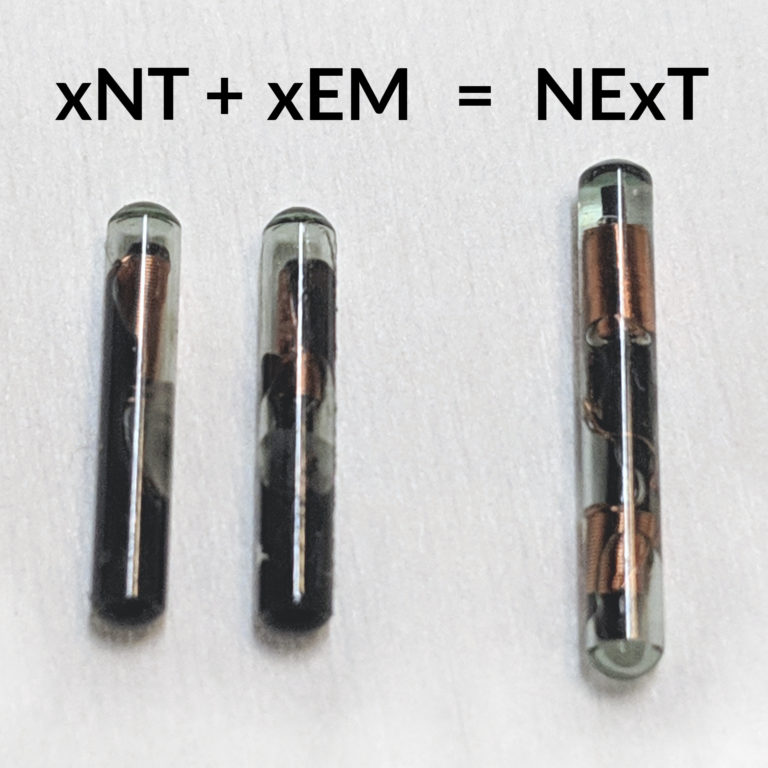
Dangerous Things Dual Implant NeXT
  xNT + xEM = NeXTThis Dangerous Things unique implant is designed for both low and high frequency applications. One implant ... two frequency ranges! The NeXT combines the xNT and the xEM in just one tag. The speciality here is the small size!Unlike cheap Far East products, this tag is only 14mm long! Also, the applicator is improved for even more precise insertion. It should not take more than 2 seconds to insert. Since you never know which frequency ranges you are dealing with "out there", it always makes sense to be prepared for both high and low frequency readers. On the one hand, you can copy an existing low frequency card (e.g., HID) quite simply onto this implant (clone it - best done with our HID cloner), on the other hand store all kinds of information on it and use it as a tag for e.g. access controls. If you are not sure, whether high or low frequency, the RFID-Diagnostic Card (included in the Comfort-Kit) will help you. Overview Manufacturer: Dangerous Things  Size:  only 2x14mm Frequency:  13,56MHz & 125KHz Correpsonds with:   xNT & xEM Chip:  NTAG216 & EM4100  ISO-Protocol: 14443-3 A & 18000-2  NFC compatible:  yes, type 2  Bioglass 8625 by Schott  Storage  888 Bytes    CONTENTS The NeXT Value Kit contains the following products and materials for professional insertion: 1 sterile injector unit, preloaded with the NExT double chip implant. 1 sterile gauze pad for wound care after installation 1 sterile expandable tissue adhesive bandage 1 pair of non-sterile surgical gloves for self-protection The following accessories are also included in the NExT Value Kit. These accessories are field identification tools that help you identify the reader type. They also show the best position and orientation to hold your NExT implant against any reader for reliable performance: 1 RFID diagnostic card 1 xLED-LF 125kHz field tester 1 xLED-HF 13.56 MHz field tester <iframe width="560" height="315" src="https://www.youtube.com/embed/DSGcwCc4CjY" frameborder="0" allow="accelerometer; autoplay; encrypted-media; gyroscope; picture-in-picture" allowfullscreen></iframe> Our xLED field testers show you the best position and orientation to optimally pair your NExT implant with compatible HF and LF readers, and our RFID diagnostic card informs you about the frequency and duty cycle of RFID reading systems. The SINGLE contains the NeXT implant preloaded in a syringe only - no accessories etc.  

Variants from €79.95*
€99.95*
Dangerous Things xHT HITAG Implant
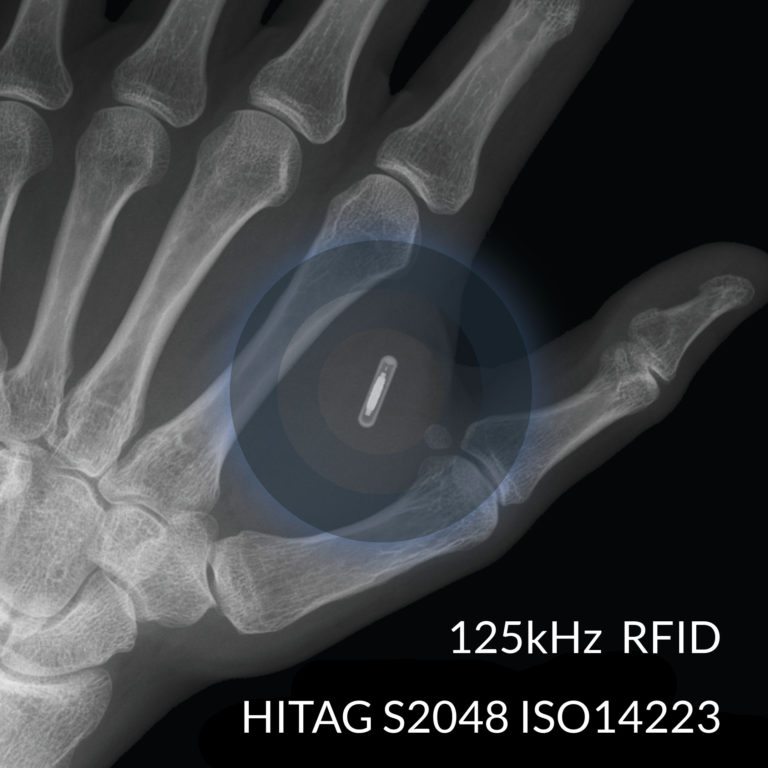
xHT HITAG S2048 Chip 125kHz HITAG S2048 ISO14223 2x12mm cylindrical sterile bioglass implant RFID Diagnostic Card & 125kHz X Field Detector included! The xHT RFID chip implant is a 125kHz ISO14223 compliant transponder. It is also fully compliant to ISO 11784/85 Animal ID and ISO 18000-2 AIDC RFID management standards. It also supports a 48 bit secret key based challenge / response authentication mechanism. The xHT also comes with some additional goodies, including an 125kHz X Field Detector, and the RFID Diagnostic Card. The RFID Diagnostic Card is a nifty little tool you can use to easily detect what frequency and duty cycle any contactless reader is operating at. What it does not do is tell you where and how to place your xHT on the reader to get the best performance. That is where the X Field Detector comes in. Place the XFD up to a 125kHz reader and begin moving over the surface of the reader while trying different rotational orientations. Once the LED inside lights up you will know that placing your xHT up to that reader in the same location and orientation will yield the best performance. xHT Chip Specifications 125kHz ISO14223 compliant HITAG S2048 RFID chipset Full datasheet for the HITAG S2048 RFID/NFC chip 32 bit UID and 2048 bits of user read/write memory 48 bit secret key based challenge/response authentication 10 year data retention. Rated for 100k writes per memory block. Encased in 2.1mm by 12mm bioglass with non-toxic epoxy Pre-tested and pre-loaded into sterile injection assembly No “anti-migration” coating means easy removal/replacement

€89.95*